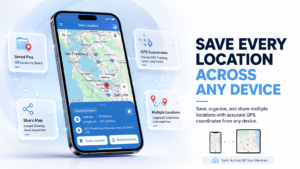
You can find rural land with no address in a few ways. Use the parcel number, the GPS coordinates, or the legal land description. Then save the exact spot on your phone. That way, you never have to hunt for it again. The rest of this guide shows you each step.
Say you’re looking for a farm way out in the sticks. You type the address into your map app. It drops you in a cornfield 2 miles from the gate. Or maybe it’s a property with no address at all. All you get is a note that says “third gate past the old red barn.” It’s a pain, but you can fix it.
This guide is for land buyers, farm owners, agents, and surveyors. It’s for anyone who has to show up at land the post office doesn’t know. We’ll walk through 6 ways to find the spot, reach it with no signal, and save it for next time.
Table of Contents
Why Rural Land and Vacant Lots Have No Street Address
So, does vacant land have an address? Usually not. Most rural land has no street address because nothing has been built on it yet. The county gives out an address once a home, barn, or shop needs mail, power, or 911 service. An empty field never gets one.
Why undeveloped land may lack a postal address
Think of an address as a tag for a building, not for dirt. Raw land has no front door for the mail carrier. So the county has no reason to give it a number. Instead, vacant land is tracked by a parcel number in county records. You’ll see this a lot with:
- Hunting land and timber tracts
- Pasture and crop fields split off from a bigger farm
- New lots in a rural subdivision that nobody has built on yet
- Landlocked land, or a property with no road access other than a farm track
Rural route numbers versus official property addresses
This part trips a lot of people up. An old mail address like “RR 2, Box 45” only tells the post office which route and box to use. It doesn’t point to the land. The box might sit by a highway a mile away. A 911 address is different. It’s a real house number on a named road, and it’s what ambulances and map apps use.
| Type | What it tells you | Good for finding the land? |
| Rural route and box | Which mail route and box | No, the box can be far from the land |
| 911 street address | House number on a named road | Yes, once maps catch up |
| Parcel number (APN/PIN) | The tax record for the land | Yes, on a county GIS map |
| GPS coordinates | One exact point on earth | Yes, the most precise option |
Why map apps may show an inaccurate location
Even a rural place with an address can show up in the wrong spot. Map apps guess where a house number falls. They spread the numbers out along the road. On long country roads with few houses, that guess can be way off. Some rural pins land a few miles from the real gate. And from above, fields and woods all look alike. So you may not see the mistake until you’re lost.
What You Need Before Finding the Property
Before you get in the truck, gather a few details. One good clue can save you hours of driving. This matters even more if you’re buying land with no address. The seller’s papers may be the only map you have. You don’t need every item below, but each one helps.
Parcel number (APN or PIN)
The parcel number is the land’s ID in county tax records. It may be called an APN (Assessor’s Parcel Number), a PIN, or a tax ID. You’ll find it on a tax bill, a deed, a listing, or the closing papers. If you can only get one thing, get this. It’s the fastest way to pull up the land on a county map.
Legal land description and survey documents
Every deed has a legal description. It’s the official word on where the land sits. Often it’s written as “metes and bounds.” That reads like walking steps from a starting point. In much of the US, it uses township, range, and section instead. (Method 3 breaks that down.) A recent survey is even better. It often lists GPS coordinates for the corners.
Plat maps, seller notes, and nearby landmarks
Don’t skip the low-tech clues, either. A plat map shows how a big tract was split into lots. A seller note like “gate is 200 feet past the creek bridge” can be worth more than any map. Write down any landmarks you hear about too.
- Parcel number (APN, PIN, or tax ID)
- Copy of the deed with the legal description
- Survey or plat map, if there is one
- GPS coordinates from the listing, survey, or seller
- Nearest crossroad, mile marker, or landmark
- A contact who knows the land (seller, agent, or neighbor)
Method 1: Find the Property on a County GIS Map
When you need to find land with no address, start with a county GIS map. It’s free. It shows every parcel in the county on top of an aerial photo. Most counties put one online, often on the assessor’s website. Just search for “[your county] GIS parcel map.”
Search by parcel ID or road name
Once the map is open, find the search box. Then work through these steps:
- Type in the parcel number (APN or PIN) if you have it. This takes you right to the lot.
- No parcel number? Try the owner’s name, since many counties let you search by name. Want to find land owner by coordinates? Paste them into the search box, and the parcel at that point will open.
- Still stuck? Search the road name or the nearest crossroad. Then pan around and click lots until the right one shows up.
- Click the parcel to open its record. Write down the acres, the owner, and the parcel ID so you can check them later.
PropertyShark’s land ownership guide gives the same advice for rural tracts. Find the parcel on a GIS map first. Then use its APN to dig into county records.
Read parcel boundaries and map layers
Most GIS maps let you turn layers on and off. Turn on the aerial layer to see tree lines, fences, ponds, and farm roads. Then turn on the parcel lines. Some maps also show flood zones and section lines. Those come in handy later.
There’s a catch, though. Parcel lines on a GIS map are drawn for tax use. They’re often off by a few feet, and sometimes more. That’s fine for finding the land, but it isn’t a legal boundary. Only a licensed survey can tell you where a line really runs.
Confirm the location with official records
Before you trust what you see, check it against the deed. The acres, owner name, and legal description should all match. Lots that sit side by side can look alike, and it’s easy to click the wrong one. Once you’re sure, click near the gate on the map. Copy the GPS coordinates you see, since you’ll need them in the next step. For a lot with no address, this is the simplest answer to how to find land address details.
Method 2: Find the Land Using GPS Coordinates
GPS coordinates are the most exact option. Two numbers point to one spot on earth. No address is needed. When you find land by coordinates, the street name stops mattering. Get the latitude and longitude of the gate, and you can drive right up to it.
Find latitude and longitude
Want to find property GPS coordinates? You can get them from a few places:
- A county GIS map: click the spot. Many maps show the coordinates.
- Google Maps: long-press on a phone, or right-click on a computer. The coordinates show up at the top.
- A survey or listing: many of these print coordinates for the gate or the corners.
- Your own phone, on site: stand at the gate and read your location off a GPS app.
Phone GPS is pretty good now. In tests by DXOMARK, the best phones averaged less than 5 meters of error. Mid-range phones landed between 5 and almost 8 meters. Thick trees, tall bluffs, and buildings can make it worse. So take your reading out in the open if you can.
Convert decimal degrees and DMS coordinates
Coordinates are written in two main ways, and mixing them up is a common mistake. Decimal degrees (DD) look like 38.897806, -97.408333. Degrees, minutes, and seconds (DMS) look like 38°53’52.1″ N, 97°24’30” W. Both point to the same spot. They’re just written in a different way.
To turn DMS into decimal degrees, use this:
Decimal degrees = D + M60 + S3600
| Format | Latitude | Longitude |
| DMS | 38°53’52.1″ N | 97°24’30” W |
| Decimal degrees | 38.897806 | -97.408333 |
One more thing to watch. In the US, longitude is west, so it gets a minus sign in decimal form. Drop the minus, and your pin lands somewhere in Asia. Also, latitude always comes first.
Verify the spot using satellite imagery
To search land by coordinates, paste them into Google Maps or your GIS map. Then switch to satellite view. Does the pin sit on a gate, a dirt track, or a field edge? Does that match what the seller told you? Look for the things you wrote down, like a pond, a barn, or a creek crossing. If the pin sits in the middle of a lake, you likely typed a number wrong.
Save the exact coordinates on your phone
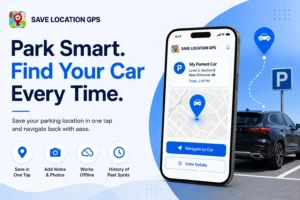
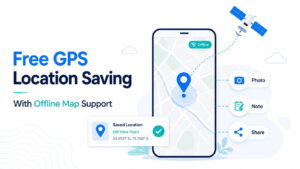
Once the spot checks out, save it on your phone right away. Give it a name you’ll remember, like “Miller farm, north gate.” An app like Save Location GPS lets you type in coordinates by hand. You can also save the spot you’re standing on with one tap. The pin stays saved even when you’re offline.
Method 3: Locate Rural Land Using Township, Range, and Section
Your deed might say something like “Section 14, T12S, R4W.” If so, you’re looking at the Public Land Survey System (PLSS). It can lead you straight to the land. It looks like a secret code at first. Really, it’s just a big grid laid over the map.
Understand the Public Land Survey System (PLSS)
The PLSS goes back to the Land Ordinance of 1785, right after the Revolutionary War. The Kansas Geological Survey notes that it later spread over most of the US. It runs from Ohio west to the Pacific. The grid works like this:
- A township is a square about 6 miles on each side.
- Each township is cut into 36 sections.
- A section is about 1 square mile, or 640 acres.
- Each section splits into quarters of 160 acres. Each quarter can split again into 40-acre pieces.
Sections are numbered in a back-and-forth snake pattern. The count starts at the top right corner:
| 6 | 5 | 4 | 3 | 2 | 1 |
| 7 | 8 | 9 | 10 | 11 | 12 |
| 18 | 17 | 16 | 15 | 14 | 13 |
| 19 | 20 | 21 | 22 | 23 | 24 |
| 30 | 29 | 28 | 27 | 26 | 25 |
| 31 | 32 | 33 | 34 | 35 | 36 |
Match the legal description to a map
Read the description from the end to the start, going from big to small. Take this one: “NE ¼ of the SW ¼, Section 14, T12S, R4W, 6th P.M.”
- 6th P.M. is the principal meridian. It’s the starting line for that part of the country.
- T12S means the 12th township row south of the baseline.
- R4W means the 4th township column west of the meridian.
- Section 14 is 1 square mile inside that township.
- SW ¼ is the bottom-left 160 acres of that section.
- NE ¼ of the SW ¼ is the top-right 40 acres of that quarter.
Most county GIS maps have a section-line layer you can turn on, and it makes this much easier. Find the section and pick out the right quarter. Then click inside it to grab the coordinates. Keep in mind the gate could be on any side. Check the satellite view for a way in.
Method 4: Use Plus Codes or What3Words
Plus Codes and what3words turn a spot on the map into a short code. It’s easier to share than a long string of numbers. That helps when you text the spot to someone who might mistype 38.897806.
Locate land using a Plus Code
A Plus Code is a short mix of letters and numbers, like 97MF+27. It’s built from latitude and longitude. Google’s Plus Codes page says they’re free and open source, and they work without internet. To get one:
- Open Google Maps and drop a pin on the gate.
- Tap the “Dropped pin” card at the bottom.
- Copy the Plus Code you see there.
- When you share a short code, add the town or county to the end, like “97MF+27 Smith County.” That way, it points to the right area.
Some support teams tell users to paste a Plus Code into the address box. They do this when a property has no street address. It’s a good sign that the codes work.
Compare location codes with GPS coordinates
what3words splits the world into 3-meter squares. It gives each square three words. There are over 57 trillion squares in all, according to what3words. The words are easy to say out loud over the phone. So which one should you use? This table sums it up:
| Option | Looks like | Best for | Watch out for |
| GPS coordinates | 38.897806, -97.408333 | Any map, GPS unit, or app | Long numbers, easy to mistype |
| Plus Code | 97MF+27 | Texting a spot, Google Maps users | Short codes need a town added |
| what3words | ///three.word.address | Saying a spot out loud | Needs the what3words app or site |
In the end, GPS coordinates are the safest choice, since every map app and 911 center can read them. When you need to find place by GPS coordinates, they just work. Use Plus Codes or what3words as an extra, not a swap.
Method 5: Navigate to the Land Without Cell Service
Your trip can fall apart the second your phone says “No Service.” So get ready while you still have Wi-Fi at home. Out on farm roads, the dead zone often starts where the paved road ends.
Prepare directions before leaving
Look up the route at home and write down the turns. A scrap of paper never runs out of battery. Note the last town and the last paved road. Write how many miles to drive from a fixed point, like a church or a mile marker. Then text the coordinates to whoever is meeting you, before anyone loses signal.
Save GPS coordinates while offline
Good news: your phone’s GPS doesn’t need cell service. It talks straight to satellites. So you can still see where you are on a dead-zone back road. It may just take a bit longer to lock on. That means you can save a pin at the gate with zero bars. Save Location GPS works with or without internet, so the spot saves right away.
Prepare offline maps in a compatible mapping app
A GPS dot on a blank screen won’t help much, so you’ll want the map saved too. In Google Maps, tap your profile picture, then Offline maps, then Select your own map. Drag the box over the area. Google’s help page says driving directions work offline only if the whole route sits inside that area. Walking directions don’t work offline at all. Downloaded maps also expire, so refresh them before each trip.
Identify the entrance, driveway, and property landmarks
When you get close, slow down and watch for signs. Rural gates are easy to miss, more so when they’re overgrown. Look for:
- A metal gate, cattle guard, or chained entry
- A dirt or gravel track leading off the road
- Corner posts, survey stakes, or pink and orange flagging tape
- The landmarks from your seller notes, like a pond, barn, or creek
Save each one as its own pin as you find it. Your next visit will go much smoother.
A safety note: never go onto land without the owner’s or agent’s okay. That goes even if it’s for sale. Tell someone where you’re going and when you’ll be back. Watch for washed-out roads and soft ground after rain.
Method 6: Save and Share the Exact Property Location With Save Location GPS
Finding a property with no address once is hard enough. Nobody wants to do it twice. Save Location GPS app is a free Android app with over 1 million downloads and a 4.6-star rating on Google Play. It’s made for this job. You save a spot, add the details, and send it to whoever needs it.
Save the property entrance as a GPS pin drop
Stand at the gate and tap once to drop a pin. The app saves your spot with its latitude, longitude, and address. Already have coordinates from the GIS map or survey? Type them in by hand. Give each pin a plain name, like “Miller farm, main gate.” It works offline too, which helps a lot on a back road with no bars.
Add photos and access instructions
A pin tells you where. A photo tells you what to look for. Snap a picture of the gate, the mailbox post, or the turn-off. Then the next person will know it when they see it. Add notes like these:
- “Gate is chained, code is with the agent”
- “Turn left after the cattle guard, road floods after rain”
- “Park by the big oak, walk the last 200 feet”
Organize multiple plots and property landmarks
Most farms aren’t just one spot. There’s the gate, the well, the barn, the back pasture, and maybe a few separate lots. Put them all in one group, like “Miller Farm.” Mark the ones you use most as favorites. You can switch between road, satellite, hybrid, and terrain views to see each pin. You can also get directions back to any saved spot.
| What you need to do | How the app helps |
| Remember the gate | One-tap save with GPS coordinates |
| Show someone what to look for | Photos added to each pin |
| Keep many plots straight | Groups and favorites |
| Check the land from above | Satellite, hybrid, and terrain views |
| Get there again | Route directions to saved spots |
| Hand off a full list | CSV export of all saved locations |
| Avoid losing it all | Sign in to sync across devices |
Share exact coordinates with buyers and contractors
Sharing is where the app earns its keep. Send the saved pin to a buyer, a fencing crew, a well driller, the vet, or a delivery driver. They get the exact spot, not “turn by the red barn.” That means fewer calls from someone stuck at the wrong gate. Manage a lot of parcels? Export the whole list as a CSV file and send it to your team at once.
How to Get an Official Address for Rural Land
You can usually get a real 911 street address from your county. But most counties only give one out once there’s a driveway and a building going up. It’s worth the effort. With an official address, ambulances, fire trucks, and delivery drivers can find you fast.
Contact the county addressing office
The office may be called 911 Addressing, the GIS Office, or Planning and Zoning. The steps are much the same everywhere. Expect to give them:
- Proof of ownership, like the recorded deed and your contact details.
- The driveway location, where it meets the named road. Some counties want GPS coordinates for this spot.
- A driveway permit, if you’re building new. Hardin County, Iowa, for example, won’t give out an address until the permit is approved.
- Township and section details, plus nearby addresses on the same road.
In Texas, Gillespie County asks owners on private roads for the GPS point where the driveway meets the road. That’s one more reason to save the gate as a pin early. Many counties also give you a blue address sign to post by the road. Some charge a small fee for it.
Understand what to do while the address is pending
Getting the number is one thing. Getting map apps to know about it can take a while longer. Until then, it’s still a house with no address as far as the apps know. In the meantime:
- Keep giving out your GPS coordinates to drivers, crews, and guests.
- Share a saved pin with photos so nobody shows up at the wrong gate.
- Put up the address sign right away so 911 crews can spot it.
- Suggest an edit in Google Maps to add the address. It may show up sooner.
Common Mistakes When Finding Land Without an Address
Most wasted trips come down to a few small slip-ups. Each one is easy to avoid once you know what to look for.
Confusing a parcel boundary with a navigable location
The middle of a parcel on a map isn’t a place you can drive to. Say you navigate to the center of a 40-acre lot. Your app might send you to the wrong road on the far side, or to a dead end with no way in. Always save the gate or driveway as its own point. Then navigate to that.
Entering incorrect GPS coordinates
One wrong digit can move a pin by miles. Watch for these mistakes:
- Dropping the minus sign on west longitude
- Swapping latitude and longitude (latitude goes first)
- Mixing DMS and decimal degrees in one number
- Cutting off too many decimals, which blurs the spot
Copy and paste coordinates when you can. Don’t type them by hand.
Relying only on a map pin
A pin alone can be misread, since every field looks the same from above. Back it up with photos, notes, and a landmark or two. Did the pin come from a seller’s listing or a guess on a GIS map? Then check it on satellite view before you head out.
Entering private property without permission
It’s tempting to hop the fence for a quick look. Don’t. Walking onto land without the owner’s or agent’s okay can count as trespassing. That’s true even when the land is for sale. Get permission first, and get the gate code or key ahead of time.
Get these right, and the next time you need to find land with no address, it’s a quick drive, not a long hunt. Pin it once. Save it with photos and notes. Then share it with everyone who needs it.
Final Thoughts
Finding land with no street address becomes easier when you combine official property records with GPS coordinates and clear directions. Use a county GIS map to identify the parcel, confirm the entrance, and save that point for future visits.
Save Location GPS can help you keep the coordinates, photos, and notes together, so you can return to important places and share their locations with others. Before you head out, prepare offline maps, check access permission, and make sure the saved pin marks the actual entrance.
Frequently Asked Questions
1. How do I find land that has no street address?
Start with the parcel number, deed, or legal description. Search the property on a county GIS map, identify the entrance, and save its GPS coordinates.
2. Can I find vacant land using GPS coordinates?
Yes. Enter the latitude and longitude into a compatible map app. Check the satellite view and confirm that the pin matches the property entrance.
3. Can my phone GPS work without cell service?
Yes. A phone can receive GPS signals without mobile internet. Map imagery and navigation directions may still require downloaded map data or an internet connection.
4. How can I save a rural property location on my phone?
Use a location-saving app such as Save Location GPS. Save the coordinates, add a clear name, and attach photos or notes to help identify the spot.
5. Can I find land with a parcel number alone?
A parcel number can help you find the property in county tax records or a GIS map. You may still need a survey, road information, or GPS coordinates to locate the entrance.
6. What is the difference between a parcel number and GPS coordinates?
A parcel number identifies a property record. GPS coordinates identify a point on Earth, such as a gate, driveway, or building.
7. Are county GIS parcel lines exact?
Not always. GIS maps are useful for locating parcels, but their boundary lines may not match the surveyed legal boundary. Consult a licensed surveyor when exact boundaries matter.
8. Can I share a rural property location with a buyer or contractor?
Yes. Share the GPS coordinates or a supported map link, along with access instructions. Photos and notes can help the recipient recognize the correct entrance.
9. What should I do if Google Maps cannot find the property?
Search the county GIS map using the parcel number or legal description. Find the entrance on the map, copy its coordinates, and use those coordinates in a compatible navigation app.
10. How do I get an official address for vacant land?
Contact the local county or municipal addressing office. Ask about the rules for vacant parcels, driveway permits, and GPS coordinates, since requirements vary by location.