
SAVE & ORGANIZE PLACES
Save Any Place.
Find It Again Anytime.
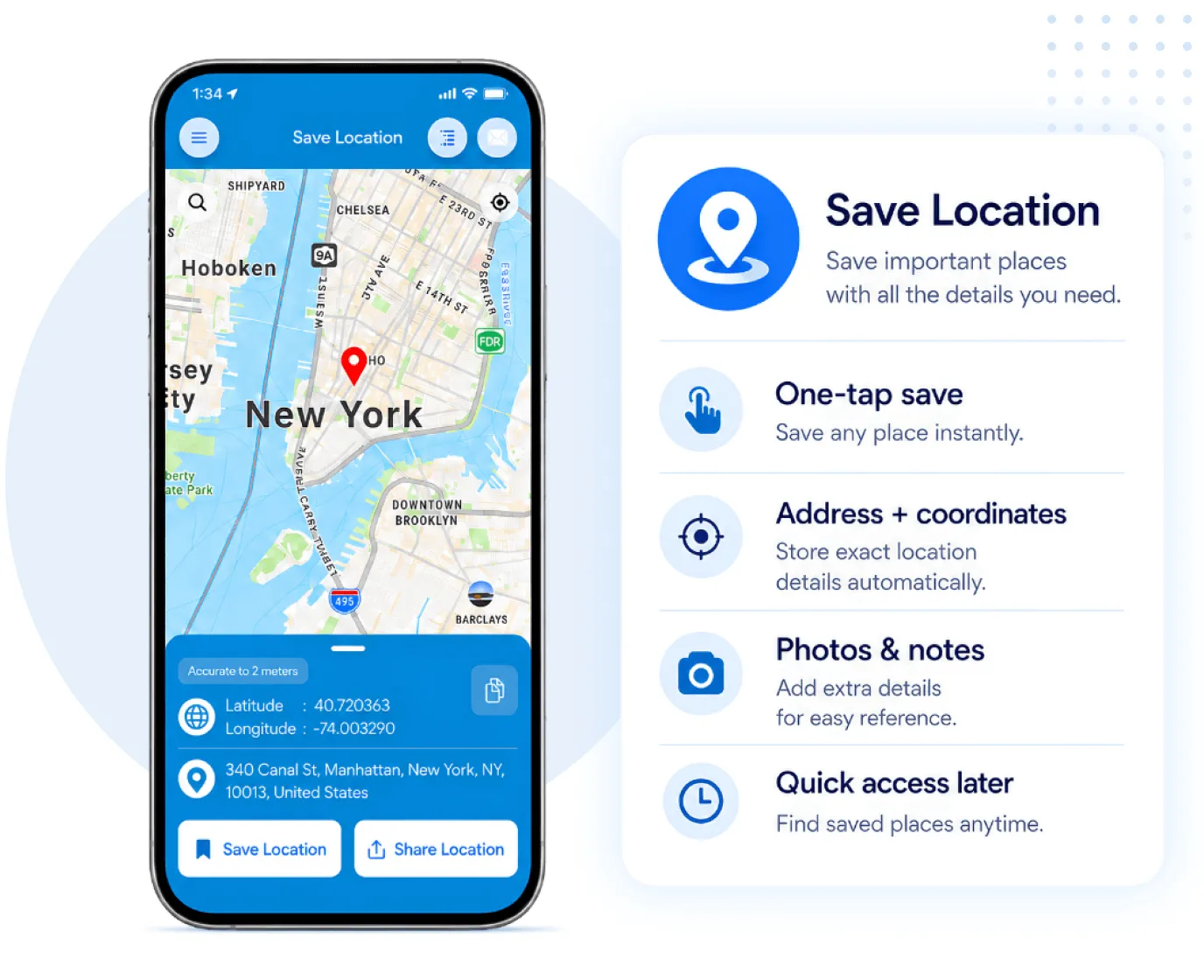
Save GPS Locations with addresses, title, latitude, longitude, photos, notes and contact details. Access them online or offline and navigate back with ease.
Perfect for parking, travel, work, delivery, customer visits, field jobs and favorite places.


LIVE LOCATION SHARING
LIVE LOCATION SHARING
Share Your Live
Location with Confidence.
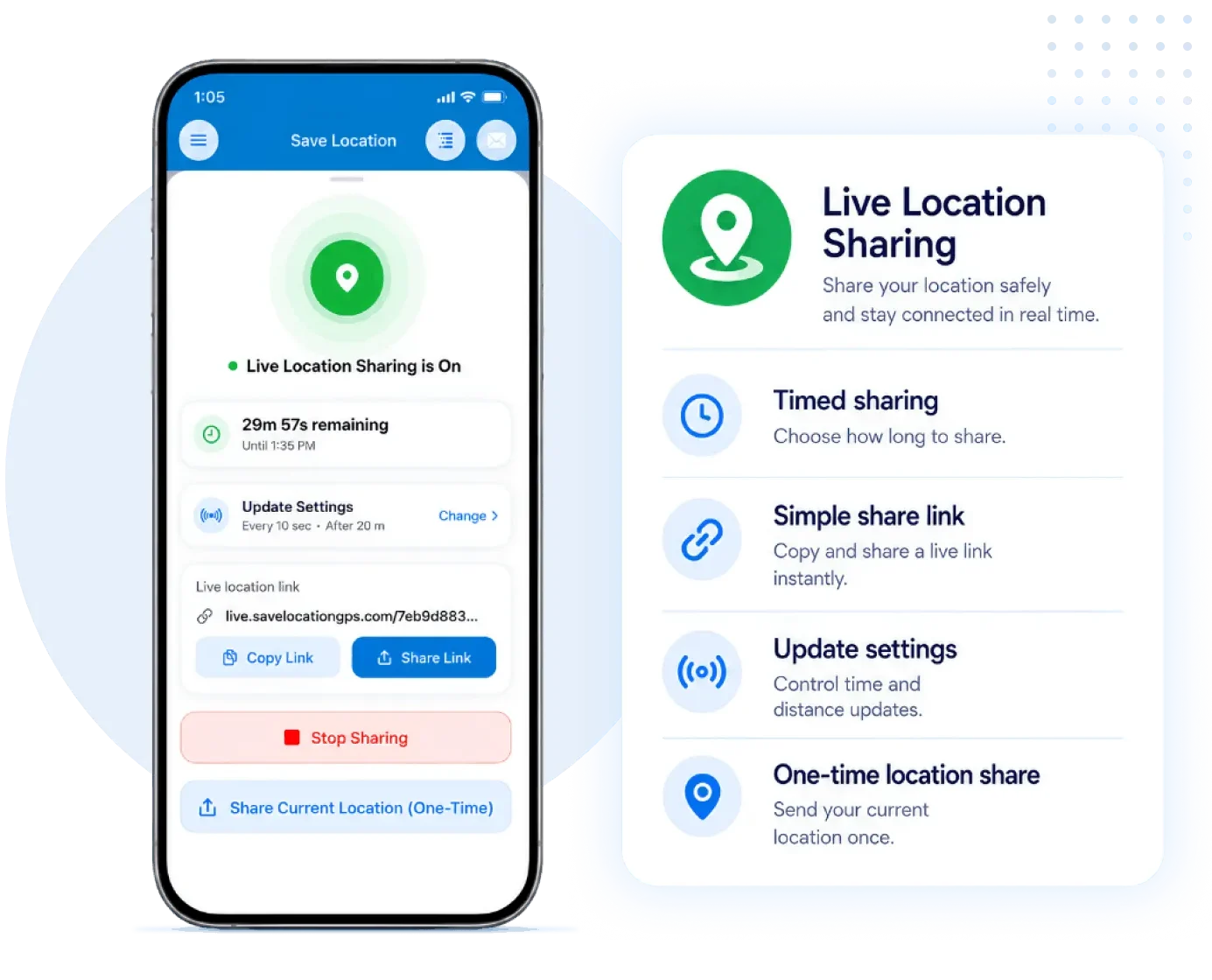
Share your live location with friends, family, teams, customers or colleagues for a selected time using a simple link. Stop sharing anytime.
Share live location for travel, meetings, delivery, customer visits and field work.
FOR BUSINESS USER
Are You Managing
Locations for Your Business?
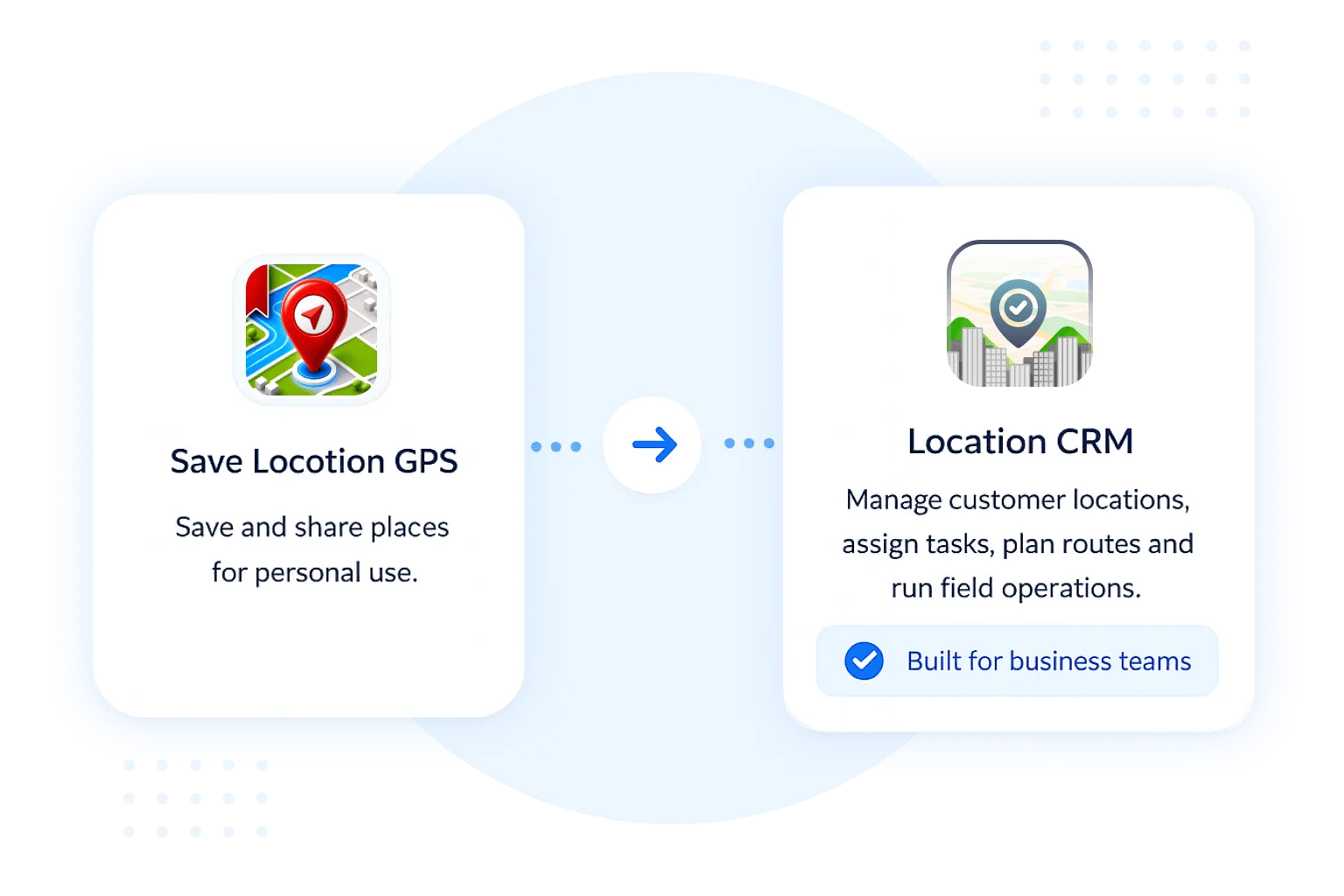
Save Location GPS helps you save and share important places. But if your business works with many customer locations, field staff, daily routes, deliveries or site visits, you need a more complete system.
That’s why we built Location CRM – a business solution for managing customer locations, assigning tasks, planning routes and organizing field operations from one central dashboard.
From saved places to complete location management.
FOR BUSINESS USER
FOR BUSINESSES
FOR BUSINESSES
About Location CRM Solution
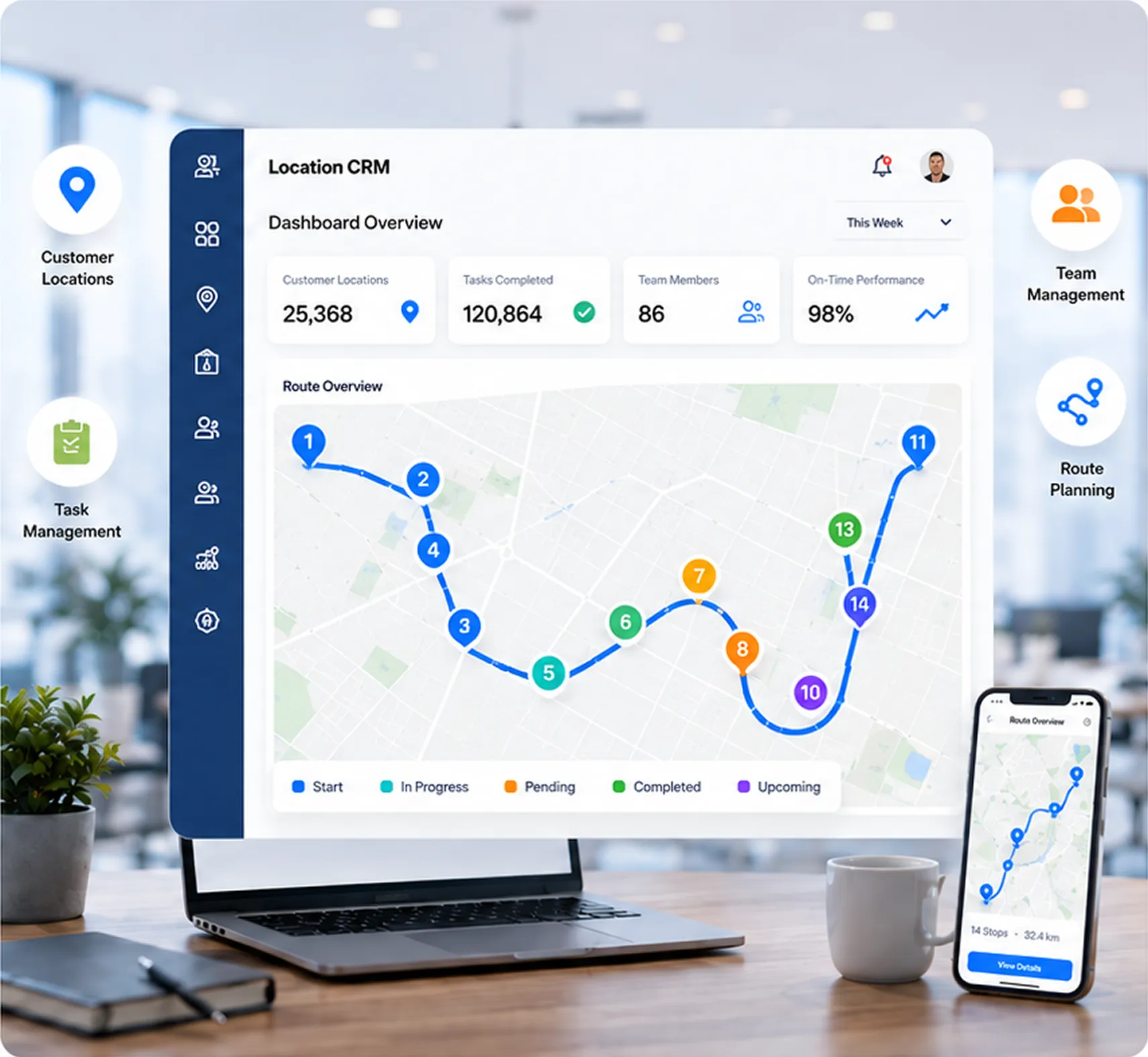
Location CRM helps businesses manage customer locations, tasks, routes, and field teams from one central dashboard. Plan efficient routes, assign tasks, track visits, and access real-time updates. Stay organized, improve productivity, and make data-driven decisions with reports that power your business operations.
Customer locations
Managed
Tasks Managed
Completed
Route Planning
On-Time Performance
BUILT FOR FIELD OPERATIONS
Features That Keep Field Work Organized
Manage customer locations, assign tasks, plan daily routes and track completed work with photo proof — all from one simple Location CRM dashboard.
Customer Locations
Save customer addresses, GPS points, contact details and notes in one organized place.
Task Assignment
Assign daily jobs to drivers or field staff with clear priorities and notes.
Route Planning
Create efficient routes based on customer locations and daily work.
Mobile App for Staff
Field staff can view tasks, navigate and update work status from the app.
Photo Proof
Capture photos after delivery, visit or service completion for clear records.
Reports & History
Track completed tasks, visits, routes and team activity anytime.
Manage locations, tasks, routes and teams from one dashboard.
Trusted By Customers
What Our Customers are Saying
Businesses across industries trust our CRM app to simplify their field operations. Our users share how our app helps them work smarter, stay organized, and save time every day.
Let’s Clear Things Up
Frequently Asked Questions
What Does Save Location GPS Actually Do?
It’s a simple app that saves any place you’ve been to with a name, photo, notes, and exact coordinates. Useful when you can’t rely on a street address, like a farm gate, a parking spot, or a regular delivery stop. Works without internet too.
Can I Save a Location Without a Proper Address?
Absolutely. Save Location GPS and Location CRM let you drop a pin using GPS coordinates alone. Add a photo of the entrance, a note about access details, and a contact number and anyone on your team can find the spot without ever having been there before.
What's the Difference Between a GPS Saving App and a Location Based CRM App?
A GPS saving app is personal. You save places, navigate back, maybe share one with a colleague. A location CRM is built for teams. It handles task assignment, visit tracking, route planning, and reporting. Save Location GPS covers the first. Location CRM covers the second.
We Run a Small Delivery Business. Would Location CRM Actually Help Us?
Most small delivery teams waste more time than they realize on “where exactly is this place?” and “did the driver check in yet?” Saving precise drop points and logging visit timestamps removes both problems. Drivers spend less time confused, managers spend less time calling.
Why would a Field Team Use Location CRM Instead of Just Sharing Google Maps Links?
Google Maps links work once. They don’t carry notes, photos, or access details. They don’t log whether someone actually showed up. And they don’t connect to task assignments or reports. For one-off navigation, Maps is fine. For operations that repeat across a team, it starts to fall apart quickly.
Is Save Location GPS Free?
Yes, it’s free to download on Android and iOS. It has over a million downloads and a 4.5-star rating. Location CRM app is a separate business product you can request a demo at locationcrm.com to know pricing that fits your team size.
Is There an App that Lets Me Manage My Field Team's Locations and Tasks in One Place?
Yes. Location CRM does exactly that. Managers assign tasks tied to specific site pins, field staff navigate directly from the app with live GPS tracking, and every visit gets logged with a timestamp. No check-in calls, no status chasing.
Do Save Location GPS and Location CRM Mapping Apps Work in Areas with No Signal?
Save Location GPS works fully offline. Whatever you’ve saved is accessible without a connection. Location CRM needs signal for live updates, but you can still record field activity offline and it syncs once you’re back online.
How do Businesses with Field Teams Track Who, Went, Where, and When?
Location CRM logs every visit with GPS verification and a timestamp. Managers can pull up a timeline of where each team member went, what tasks they completed, and how long they stayed all from the admin panel or their phone.
What Kinds of Businesses Use Location CRM Day to Day?
Delivery drivers and logistics, maintenance technicians, retail merchandisers, farm workers, event crews, and laundry pickup staff or any team where people move between multiple physical sites and someone needs to know they got there and did the work. The common thread is accountability across distance.
Ready to Transform Your Business?
Share your details, and our team will contact you to discuss your requirements and show you how our platform can support your business growth.