
Picture this. You pull up to the address on your schedule, and there’s no house in sight. Just a mailbox, a dirt driveway, and three other driveways that look exactly the same. This happens more than most people realize, and it’s exactly why so many nurses go looking for real answers on how home health nurses find patient homes before their shift even starts. Home visits sound simple on paper. Show up, knock, and take care of your patient. In real life, just getting to the door can eat up half your morning.
This guide walks through why patient homes are so hard to find, what nurses actually do about it, and which tools make the job a little less stressful. No fluff, just what works.
Table of Contents
Why Finding a Patient’s Home Is Harder Than It Sounds
A street address looks like a sure thing. It isn’t always. Between shaky GPS signals, roads that were never properly named, and buildings that all look alike, home health nurses run into location trouble constantly. It’s one of those problems nobody warns you about in nursing school.
When GPS Apps Send Nurses to the Wrong Door
Most people assume their phone knows exactly where they are. It doesn’t, not really. According to GPS.gov, smartphones are typically accurate to within a 4.9-meter (16-foot) radius under open sky, and that accuracy gets worse near buildings, bridges, and trees. In a dense apartment complex or a neighborhood packed with lookalike houses, a 16-foot margin of error is more than enough to land you at the wrong door, or worse, the wrong building entirely.
Rural Roads and Addresses That Don’t Exist on Maps
Rural home health navigation is its own animal. About 60 million people live in rural areas of the United States, and a lot of those homes were never assigned a standard street address in the first place. Emergency responders deal with the same headache. A Deseret News investigation into rural 911 addressing found that ambulance drivers routinely struggle to locate homes because directions rely on landmarks instead of formal addresses, and wait times in rural areas run almost double what they are in cities. If ambulances get lost out there, nurses do too.
Apartment Complexes, Gated Communities, and Buzzer Codes
Then there’s the opposite problem. Instead of too few landmarks, you’ve got too many identical ones. Apartment complex address finder searches are common for a reason: buildings numbered out of order, gate codes nobody mentioned, and buzzer panels with half the names worn off. Add a locked gate and a five-minute wait for someone to let you in, and a quick visit turns into a small ordeal.
The Real Cost of a Missed or Delayed Home Visit
This isn’t just an annoyance. Getting lost has a real cost, both in time and in patient care, and it adds up fast across a full day of rounds.
Lost Time That Cuts Into Patient Care Minutes
Every minute spent circling a block is a minute you don’t get back. Multiply that by four or five visits a day, and you’ve lost real chunks of time you could’ve spent actually caring for people. The CDC’s National Center for Health Statistics reports that around 3.3 million patients received and ended home health care in a single year, cared for by roughly 11,500 home health agencies nationwide. That’s a massive number of daily trips, and each wrong turn ripples through an already tight schedule.
Missed Visits and Their Effect on Patient Outcomes
A late nurse isn’t just inconvenient. For a patient managing pain, waiting on medication, or recovering from surgery, a delay can genuinely matter. Some visits get pushed to the next day, or skipped entirely, because a nurse simply couldn’t find the place in time and had other patients waiting. Nobody wants that outcome, least of all the nurse standing in the wrong driveway.
How Experienced Home Health Nurses Find Patient Homes
Ask any nurse who’s been doing this for a few years, and they’ll tell you the same thing. You learn tricks. Here’s what tends to work, gathered from nurses who’ve been through it themselves:
- Call ahead for landmarks and directions, not just the address
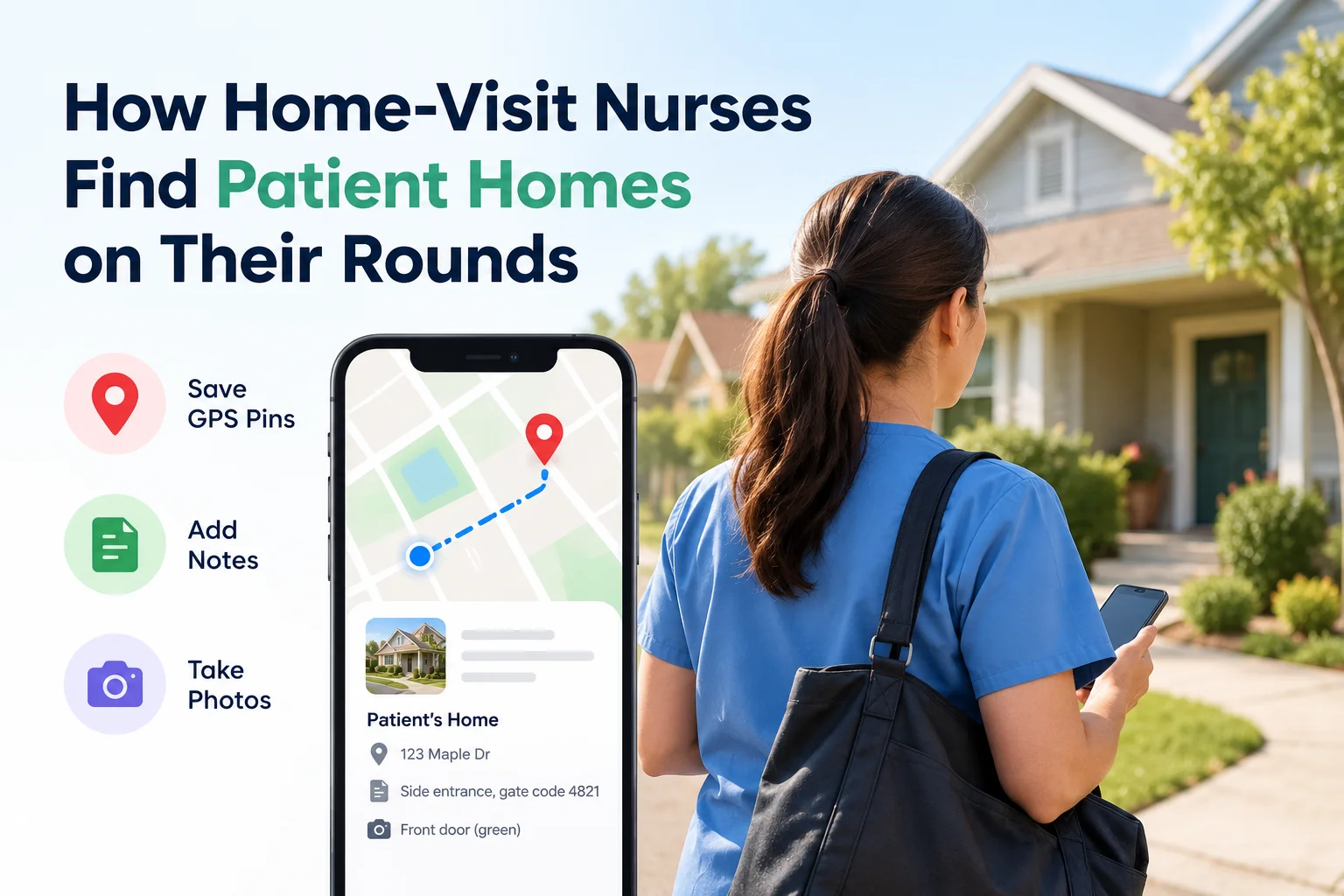
- Save a pinned location the very first time you find the place
- Add a photo and a note so you recognize the entrance next time
- Build your own personal map of the patients you see regularly
Calling Ahead for Landmarks and Verbal Directions
Sometimes the address is only half the story. A quick call before you leave, asking for a nearby landmark like “the blue mailbox past the church” or “the third gate on the left,” saves a surprising amount of frustration. It sounds old-fashioned, but it works, especially in areas where GPS just isn’t reliable.
Saving a Pinned Location the First Time They Visit
Here’s the thing most nurses figure out fast: once you’ve found a house, you should never have to find it the hard way again. Dropping a pin the moment you arrive means your next visit, and the one after that, starts with a straight shot instead of a guessing game. This is the single habit that saves the most time long term. Making a drop pin patient location habit part of your very first visit is the easiest way to build this in without adding extra work to your day.
Adding Photos and Notes to Mark the Right Entrance
A pin gets you close. A photo and a short note get you to the actual door. Something as simple as “green door, side entrance, dog is friendly” turns a stressful search into a non-issue. It’s a small habit, but it pays off every single time you go back.
Building a Personal Map of Recurring Patients
Over weeks and months, this turns into something valuable: a personal, saved collection of every home you visit. No re-searching, no re-guessing. Just open your list and go.
Tools That Make Patient Location Finding Easier
Standard map apps are fine for getting into the general area. They’re not built for the specific problems nurses run into every day. A dedicated home health nurse GPS app closes that gap by remembering the exact spot instead of making you search for it every single time.
GPS Coordinate Apps vs Standard Map Apps
| What You Need | Standard Map App | Dedicated Location-Saving App |
| Save an exact GPS pin permanently | Not really, ties to search history | Yes |
| Add a photo of the entrance | Not built in | Yes |
| Add a note, like a gate code | Not built in | Yes |
| Works without internet | Often unreliable | Built for offline use |
| Find it again six months later | Hard, buried in old searches | Easy, stored in your saved list |
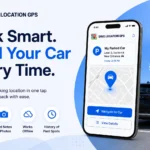
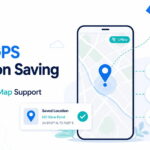
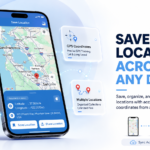
When a standard maps app keeps coming up short, a dedicated find patient address app fills the gap by letting you save the exact spot once and skip the guesswork on every visit after. This is where an app built specifically for saving locations, like Save Location GPS, earns its keep. It’s a personal tool, not a business platform, and it does one thing well: it lets you drop a pin, snap a photo, jot a quick note, and pull that exact spot back up whenever you need it again, even on a return visit weeks later.
Offline Location Saving for Low-Signal Areas
Rural routes and basement apartments have one thing in common: spotty signal. This is exactly why offline GPS for nurses comes up so often in search, since a dropped signal shouldn’t mean losing your only saved directions. A good location-saving app should let you mark a spot without needing an active connection, then sync it later once you’re back in range. That one feature alone solves a huge chunk of the rural home health navigation problem.
Marking Favorites for Patients You Visit Often
For patients you see weekly, favoriting their saved pin means one tap gets you moving, no searching required. It’s a small convenience that adds up over a full caseload.
Planning an Efficient Route for Your Own Rounds
Once your patient locations are saved, planning the day gets a lot less painful.
Grouping Saved Patients by Neighborhood or Zone
Grouping your saved pins by area, rather than by whatever order they landed on your schedule, cuts down on needless driving. A nurse route planning app or a simple grouping feature inside your location app can turn a scattered list into a logical loop.
Ordering Stops to Reduce Backtracking and Traffic
Start with whoever’s farthest out and work your way back, or check traffic before locking in your order. Some nurses take this further with a home visit route optimizer that reorders stops automatically, though a simple manual sort works just as well for a caseload of a dozen or so patients. Either way, a few minutes of planning at the start of the day beats an hour of backtracking later.
What to Do When You Still Can’t Find the House
Even with good habits, sometimes you’re still stuck. Here’s what to do next.
Calling the Patient or Caregiver on Arrival
This one’s obvious, but it works. A quick call when you’re close by, saying you can see a certain landmark, usually gets you the last piece of the puzzle fast.
Using Nearby Businesses as Temporary Meeting Points
If a gate code isn’t working or an entrance is genuinely impossible to find, a nearby gas station or store can serve as a fallback meeting spot. It’s not glamorous, but it keeps the visit on schedule.
Building a Simple System for Saving Patient Locations
The real fix isn’t a single trick. It’s a habit, built one visit at a time.
Creating Your Own Location Groups by Route or Day
Organizing your saved locations by the day you usually see them, Monday patients, Wednesday patients, and so on, makes your whole week easier to picture at a glance.
Keeping Address Notes Updated After Every Visit
Details change. A gate code gets swapped, a buzzer gets fixed, a dog gets replaced by a very unfriendly cat. Updating your note after each visit keeps your saved information accurate instead of stale.
Finding a Patient’s Home Again Months Later
This is where all the small habits pay off at once. A patient discharged in spring and readmitted in fall? If you saved that pin the first time, finding the house again takes seconds, not another round of confused circling.
None of this takes a huge overhaul. It’s a handful of small habits, a saved pin here, a quick photo there, that add up to real time saved over a career of home visits. Every nurse who’s been doing this for a while has their own version of this system, built one confusing driveway at a time. Start with your next new patient. Drop the pin the moment you find the door, add a note while it’s fresh in your head, and you’ll thank yourself the next time that address shows up on your schedule.
FAQs
How do home health nurses find patient addresses?
Most rely on a mix of calling ahead for landmarks, saving GPS pins the first time they visit, and keeping notes on tricky entrances.
What GPS app do home health nurses use?
Standard map apps get most nurses close, but many also use a dedicated location-saving app, such as Save Location GPS, to store exact pins, photos, and notes for return visits.
How do nurses navigate to rural patient homes?
By combining verbal directions from the patient with a saved GPS pin from their first successful visit, since rural addresses often don’t map cleanly.
What should a nurse do if they can’t find a patient’s house?
Call the patient or caregiver for a landmark, and if that fails, use a nearby business as a temporary meeting point.
What’s the best way to save a house location without an address?
Drop a GPS pin at the exact spot, add a photo of the entrance, and include a short note about anything unusual, like a gate or a long driveway.