
A weak mobile signal can cause trouble at the worst time. Maybe you found a remote campsite, parked in a huge outdoor lot, reached a survey point, or visited a property far from town. Then, just like that, your internet stops working.
The good news is simple. With the right GPS app, you can save your current location even when your phone has no internet connection. Whether you’re travelling, working in the field, or exploring remote places, your saved locations stay available when you need them.
According to the official GPS accuracy resource, GPS-enabled smartphones are typically accurate within a 4.9-meter, or 16-foot, radius under open sky. Accuracy may drop near buildings, bridges, and trees.
With the right offline GPS location saver, you can store coordinates and useful place details for later. An internet connection may still be needed for sharing, cloud sync, live traffic, or fresh map data.
Table of Contents
What Does Offline GPS Location Saving Mean?
Offline GPS location saving means recording your current position when mobile data and Wi-Fi are unavailable. The GPS coordinates can be captured and stored on your device for later use.
Unlike online maps, your saved GPS points remain available on your device, making them useful in places with limited or no internet access.
1. How GPS Finds Your Position Without Internet
GPS satellites send one-way reference signals toward Earth. The GPS.gov explains that GPS satellites act as broadcasting beacons and do not track devices on the ground.
Your phone receives satellite data and uses it to work out its position. The GPS system has a baseline arrangement designed so users can view at least four satellites from almost any point on Earth.
Internet access can help location services get a position faster. Still, the basic GPS signal comes from satellites. That is the key point, plain and simple.
2. Offline GPS Saving vs Offline Map Access
Offline GPS saving and offline maps solve two different problems.
An offline GPS location saver stores a point, usually with latitude and longitude. An offline map stores map data for a selected area on your phone.
| Feature | Offline GPS saving app | Offline Maps |
| Saves coordinates | Yes | Not the main purpose |
| Shows map roads | Depends on saved map data | Yes, slow |
| Can work without mobile data | Yes | Yes, if downloaded |
| Stores notes or photos | App dependent | Usually limited |
| Saves exact field points | Yes | Pin features vary |
| Supports offline routes | App dependent | Map dependent |
3. What Location Data Can Be Stored Offline?
A basic saved GPS point may contain latitude and longitude. A location saving app can store more useful details.
These may include:
- Location title
- Latitude
- Longitude
- Address
- Personal notes
- Photos
- Date and time
- Contact details
- Location group or category
Adding more than coordinates makes each saved place easier to recognise later, especially when you have dozens or even hundreds of saved locations.
That extra context matters. A pair of coordinates may mean little six months later, but a title such as “North Trail Water Point” tells you what the place is at a glance.
Does GPS Work Without Wi-Fi or Mobile Data?
Yes, GPS can work without Wi-Fi or mobile data. Your phone’s GPS receiver can use satellite signals to find a position.
The catch is that phone location services may also use Wi-Fi, mobile networks, and other data to help find your position. Apple’s Location Services guide explains that supported devices can use mobile data, Wi-Fi, GPS networks, and Bluetooth to determine location.
In short, satellite GPS can work offline, but network support can help the phone get a location more quickly.
1. Why GPS Signals Do Not Need Mobile Internet
GPS satellites broadcast navigation signals. Your phone receives those signals rather than requesting your position from a website.
That is why you may still see coordinates when your phone shows no mobile signal. Pretty neat, isn’t it? The phone needs working location hardware, location permission, and a usable satellite view.
GPS is also free for civilian use. The GPS system provides a positioning signal that GPS receivers can use around the world.
2. Why Offline GPS May Take Longer to Locate You
A phone with internet access can use extra location data from Wi-Fi and mobile networks. When offline, the device may rely more heavily on satellite signals.
This can make the initial position fix slower. Tall buildings, thick trees, tunnels, covered parking areas, and indoor spaces can also block or weaken satellite signals.
The GPS.gov accuracy guide lists signal blockage, satellite geometry, atmospheric conditions, and receiver design as factors that affect GPS accuracy.
If your location takes time to appear, move into an open area and wait a little. Sometimes a few extra moments do the trick.
How to Save a GPS Location Without Internet
You do not need a complex setup to save location without internet. The exact buttons will vary by app, but the basic process is usually short.
1. Turn On GPS and Allow Location Permissions
Open your phone settings and make sure location services are active. Then check that your chosen GPS saving app has permission to use precise location.
On Android, apps with only coarse location permission may receive an obfuscated, less precise position. The Android LocationManager reference confirms that fine or coarse permission can affect the location detail returned to an app.
For exact field points, parking spots, or property locations, precise location permission is the better choice.
2. Wait for Your Current Coordinates to Appear
Open your free offline GPS app and let the phone find your current position.
Watch the latitude and longitude values. If the app displays an accuracy estimate, give it a moment to settle before saving a very specific point.
Wait until the coordinates appear and the location becomes stable before saving the point.
A short wait can help, so hang tight for a bit.
3. Add a Name, Note, or Photo to the Location
Give every saved place a clear name so you can recognise it quickly later. Add a short note or photo whenever extra context will help.
Use clear names such as:
- Hotel Parking Gate
- Trail Camp 2
- Customer Back Entrance
- Survey Point A14
- North Farm Water Pump
Add a short note if the location is hard to find. A photo can also help you identify a gate, road, building, trail marker, or parking row.
4 .Save the GPS Point for Later Offline Access
Once the location details look correct, save the point to your device. Once you’ve confirmed the details, save the point so it stays available whenever you need it again.
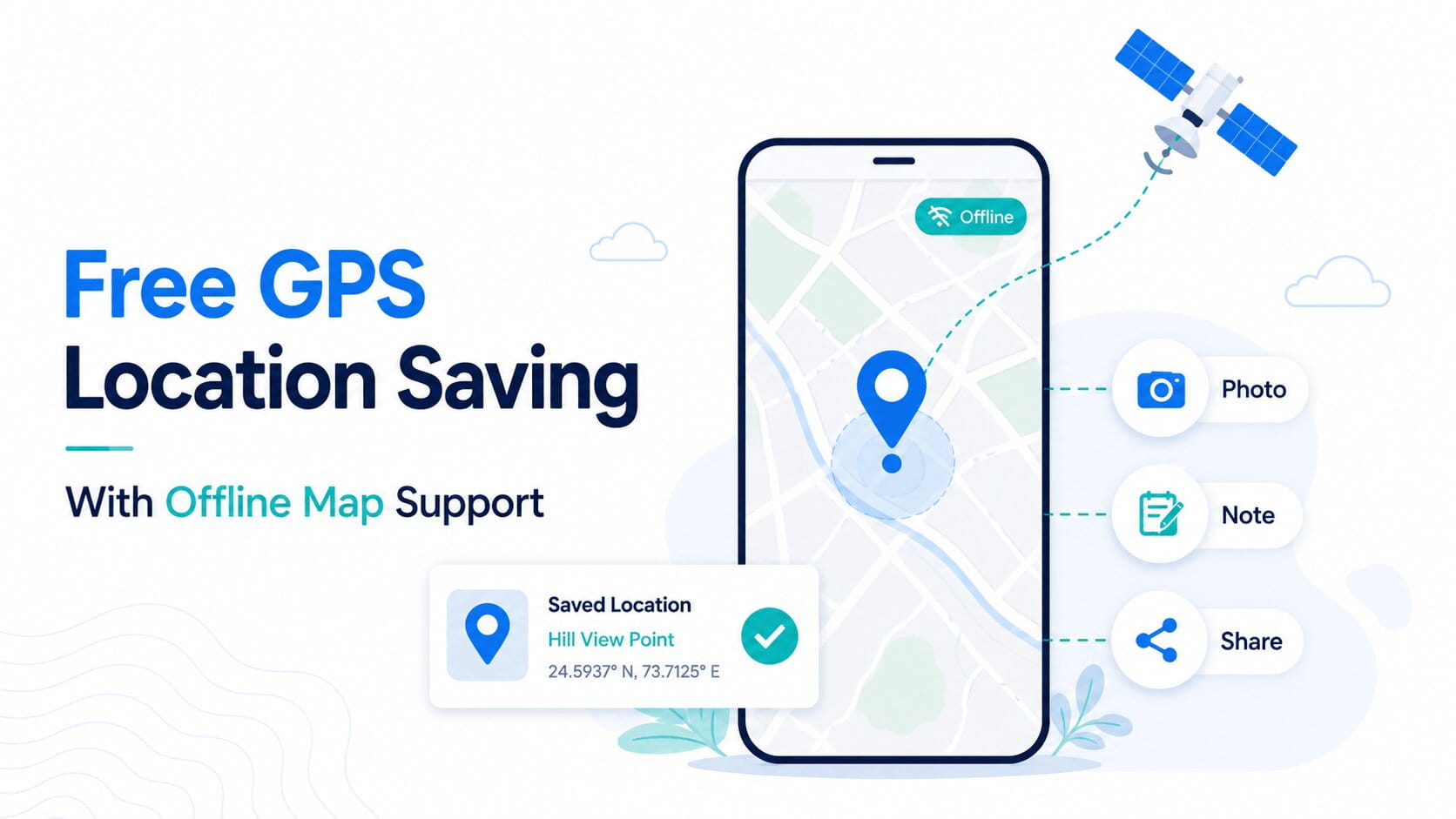
With GPS pin saver, you can save and organise locations without internet access. Users can add notes, photos, or coordinates to saved places.
This makes it useful when you need to save GPS coordinates offline and check the place again later.
What Should an Offline GPS Location Save?
Small details often make a saved place much easier to identify when you return weeks or months later.
Bare coordinates can work, but richer location details are easier to use later. Here’s the thing, a clear record saves time when you have hundreds of stored places.
1. Latitude and Longitude for Exact GPS Position
Latitude and longitude form the core of a GPS location record. They provide a numeric position that can be stored, copied, shared, or imported into supported location tools.
For fieldwork, delivery stops, property visits, or trail points, coordinates can be more important than a written address. Some remote locations do not have a clear street number at all.
Save the full coordinates shown by your app. Avoid manually shortening the numbers unless your work process calls for a specific coordinate format.
2. Address, Photos, and Notes for Better Context
An address is useful in cities and towns, but photos and notes add real context. A delivery driver may save “use rear gate,” while a hiker may note “water point beside large rock.”
Photos are important when several locations look similar on a map. No kidding, one clear photo can save a lot of searching later.
For work locations, avoid adding private details that are not needed. Store only the information required for the task.
3. Date and Time Details for Saved GPS Points
A saved date can help you track when a place was recorded or visited. This is useful for survey work, property visits, maintenance checks, and travel records.
For example, “Bridge Inspection Point” is helpful. “Bridge Inspection Point, saved 4 June 2026” gives more context.
Date and time details can also help when reviewing older saved places and deciding which records are still useful.
Offline Maps and Saved GPS Points Are Different
People often use “offline GPS” and “offline maps” as if they mean the same thing. They do not.
Your GPS position is location data. A map is visual data showing roads, places, boundaries, and other map features.
1. Offline Maps Store Map Data on Your Device
Offline maps help you view roads and nearby places without an internet connection. Download them before your trip so they’re available whenever you lose coverage.
2. Saved GPS Points Keep Exact Location Records
Saved GPS points mark specific places that matter to you, such as campsites, customer entrances, parking spots, or survey locations.
3. Why You May Need Both in Low-Signal Areas
Offline maps help you see the surrounding area. Saved GPS points help you keep exact places that matter to you.
Using both can be important during a remote trip. Download the map area before leaving, then save new GPS points as you travel.
You get local map context plus your own location records. That’s a pretty solid setup for places where mobile coverage comes and goes.
How Accurate Is GPS Location Saving Offline?
GPS accuracy changes with your surroundings and phone hardware. Being without internet does not automatically make every saved location inaccurate.
Under open sky, GPS-enabled smartphones are typically accurate within about 4.9 metres. Trees, buildings, bridges, and other obstacles can reduce accuracy.
For normal parking, travel, delivery, and location saving, that level may be enough. Professional surveying can require specialist equipment and stricter methods.
1. Factors That Can Affect Offline GPS Accuracy
Several conditions can affect the position shown on your phone:
- Tall buildings
- Thick tree cover
- Tunnels
- Indoor spaces
- Bridges
- Poor satellite view
- Phone receiver quality
- Atmospheric conditions
A GPS point saved beside a tall concrete building may be less precise than one saved in an open field.
The phone model also matters. GPS receiver design and quality are listed among the accuracy factors by GPS.gov.
2. How Open Areas Can Improve GPS Signal Quality
Satellite signals need a clear path to your device. Open areas usually give the phone a better view of the sky.
If possible, step away from tall walls, heavy tree cover, or covered structures. Hold the phone normally and wait for the position to settle.
You do not need to wave the phone around. Give it a moment, and let the location service do its job.
3. Simple Ways to Save More Accurate Coordinates
Use these quick checks before saving a point:
- Turn on precise location.
- Wait until the GPS position becomes stable.
- Check the displayed accuracy if available.
- Save the location near the actual spot.
- Add a photo or note for context.
For an important work location, you may also record the point again and compare the coordinates. If the positions differ widely, wait and try again.
Top 5 Unique Uses for Offline GPS Location Saving
Offline GPS location saving helps in many daily and work situations. From parking and hiking to field surveys, deliveries, and remote job sites, saved GPS points make it easier to mark and find exact places without internet.
1. Save Parking Spots in Areas With Weak Signals
Large parking areas can be confusing, especially near stadiums, fairs, beaches, or remote tourist sites.
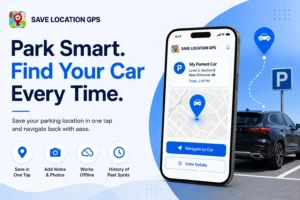
Save your parking position before walking away. Add a note with the row number or nearby sign, and take a photo if needed.
When you return, the saved coordinates and details can help you identify the spot.
2. Mark Hiking Trails, Camps, and Water Points
Hikers and outdoor teams may need to mark camps, trail junctions, water sources, or meeting points.
An offline GPS location saver can store these points when mobile data is unavailable. Keep in mind that a location saving app is not a replacement for proper outdoor safety planning.
Carry enough power, check weather conditions, and use suitable maps for the area.
3. Record Fieldwork and Survey Locations Offline
Field teams often work on farms, construction sites, rural land, or remote survey areas. Street addresses may be missing or too broad.
A saved GPS point can be given a project name, photo, and note. This keeps the location data together instead of spreading it across paper notes and photo folders.
For legal land surveys or engineering measurements, professional survey equipment may still be required.
4. Store Delivery Stops and Hard-to-Find Addresses
A written address may lead a driver to the front of a large property, while the delivery gate is on another road.
Drivers can save the exact entrance as a GPS point and add a short note. Next time, the saved place is easier to identify.
For recurring routes, clear location names and groups can keep dozens of stops organised.
5. Save Property and Work Sites in Remote Areas
Real estate agents, maintenance workers, inspectors, and contractors may visit locations outside normal street networks.
Saving the exact point can help with return visits. Add a site name, photo, contact note, or access instruction where appropriate.
This can be helpful for empty plots, farm sites, equipment areas, and temporary work zones.
What Happens When Your Internet Comes Back?
Once you’re connected again, you can use online features such as syncing, sharing, and backing up your saved locations.
1. Sync Saved Locations Across Your Signed-In Devices
Some apps can sync saved locations when you sign in and reconnect. This can help when you use more than one phone or replace a device.
Sync your saved location data when you sign in, so you can restore it on another mobile device after login.
Keeping a backup also protects your saved locations if you replace or reset your phone. You can check your sync settings before relying on cloud recovery for important work data.
2. Share Stored GPS Locations After Reconnecting
Sharing normally needs an internet connection because the location data must be sent through a messaging, email, or online sharing service.
You can store the point while offline and share it later after reconnecting. This works well for field staff who collect locations during the day and send records from an area with better coverage.
You can save locations offline with an offline GPS app, but sharing requires an internet connection.
How to Manage Multiple Saved GPS Locations?
Saving five places is easy. Managing five hundred locations is a different story.
Clear names, groups, and notes make a large location list much easier to use. Without a simple system, even accurate GPS points can become hard to find.
1. Group Offline Locations by Trip, Work, or Task
Create groups based on how you use the locations. A traveller may use city or trip names, while a field team may use project names.
Helpful group examples include:
- Goa Road Trip
- Customer Deliveries
- Property Visits
- Hiking Camps
- Survey Project 2026
- Maintenance Sites
- Event Parking Points
An offline GPS app supports grouping saved locations so related places can be kept together.
2. Use Clear Names to Find Saved Places Faster
Avoid names such as “Place 1” or “New Location.” They become confusing as your saved list grows.
Use a simple naming pattern. For example, “Client Name + Gate,” “Project + Point Number,” or “Trail + Landmark.”
A clear title can store more time than a long note. Keep it short, specific, and easy to search.
Free GPS Saving Limits You Should Know About
A free offline map app or GPS saver can be useful, but offline mode has limits.
Some features depend on internet access, cloud services, or current map data. Knowing these limits before a trip can prevent confusion later.
1. GPS Can Be Slower Without Network Assistance
Initial GPS positioning may take longer without network assistance. Waiting a little longer before saving usually provides a more stable position.
2. Sharing Locations Usually Needs Internet Access
Saving a location and sending a location are separate actions.
A GPS point may be stored offline, but messaging apps, email, and cloud sharing usually need a network connection. Save the place now and send it later.
This is a simple limit, but it matters for teams working in remote areas.
3. Map Details May Require Prior Offline Downloads
Your GPS position may be available even when detailed map content is not.
If the app relies on online map tiles, roads and place details may not load without internet. Download supported offline maps before your trip when map context is needed.
Google’s official offline map guide confirms that map areas must be downloaded to the device for offline map use.
How Save Location GPS Support Offline Map Saving?
Save Location GPS is built for people who want to save, organise, and revisit useful places. It supports online and offline access to saved location records.
You can use Save Location GPS for parking, travel, work visits, delivery points, field jobs, and personal places. The focus is simple: store a place with helpful details and find it again later.
1. Save Current GPS Locations Without Internet Access
Save Location GPS lets you store important places even without an internet connection. Along with GPS coordinates, you can add titles, notes, photos, addresses, and groups so every saved place is easier to recognise later.
2. Find and Manage Saved Places
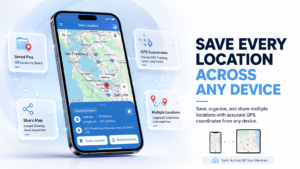
You can access saved places online or offline, organise them into groups, and quickly return to locations whenever you need them. Once you’re back online, sharing and syncing become available again.
Find and Manage Saved Places After Going Offline
Saved locations can be accessed online or offline in the Save Location GPS App. Related places can also be grouped for easier organisation.
If you need a free GPS location saving offline app for parking spots, work sites, travel points, or field locations, offline saving can keep key coordinates available when mobile data drops.
GPS and offline maps are not the same tool, yet they work well together. Download map data when needed, store exact GPS points as you go, and add clear notes or photos. When the signal disappears, your saved location record can still be there when you need it.
FAQ
Can I save my GPS location without internet?
Yes. GPS can find your position using satellite signals without mobile data or Wi-Fi. You can save GPS coordinates offline and access the stored place later, depending on the location-saving app you use.
What is the difference between offline GPS and offline maps?
Offline GPS uses satellite signals to find your position, while offline maps store downloaded map data on your phone. GPS can show coordinates without internet, but detailed roads may need maps downloaded in advance.
Does GPS still work when my phone is offline?
Yes. GPS can still work when your phone is offline because it receives positioning signals from satellites. Finding your position may take longer without network help, especially near tall buildings or heavy tree cover.
Can I add photos and notes to a saved GPS location?
Yes. With Save Location GPS, you can add photos, notes, titles, and other place details to saved GPS points. These details can help you identify a parking spot, trail marker, delivery gate, or work site later.
How accurate is GPS when there is no internet connection?
GPS-enabled smartphones are typically accurate within about 4.9 metres under open sky. Accuracy can vary near buildings, trees, bridges, or indoor areas where satellite signals may be blocked or weakened.